
Introduction
Tracing a person on the internet is sometimes not easy, but with structured investigative process we can track anyone on the internet, This same process is being used in cybersecurity, digital forensics, fraud detection, journalism, and law enforcement. The objective is to build a digital footprint of profile using publicly available data.

Every user who works on internet somehow leaves his or her traces across multiple platforms, which include social media, domain registrations, data breaches, public records, and online communities. When these traces are combined, we can identify a person, find their online presence and sometimes determine their location, contacts, and activities.
This article will explains a step-by-step OSINT workflow used by professional investigators.
Step 1: Start With Basic Identifiers
The investigation begins with a seed piece of information.
The common starting points include:
- Email address
- Username
- Phone number
- Real name
- Domain name
- IP address
- Social media profile
The objective is to expand from one known identifier to multiple connected identifiers as mentioned above in common starting points.
Tools
Google Search
Search techniques, remember to use quotes in your google search as shown below in screenshot:
"johnsmith@apple.com"
"John Smith" + apple
site:linkedin.com "John Smith"
Use Google operators to narrow results.

Example:
site:twitter.com "johnsmith123"This reveals accounts using the same username.
Step 2: Username Enumeration
People reuse the same username across many platforms. Investigators exploit this pattern.
If you know one username, you can search hundreds of websites automatically.
Tools
Sherlock
https://github.com/sherlock-project/sherlock
Sherlock checks hundreds of social media platforms for the same username.
Example command:
python sherlock UserName007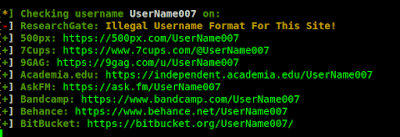
It searches platforms like:
- GitHub
- TikTok
Another tool:
Namechk
Enter a username and it checks availability or existence across dozens of sites.
This helps build a cross-platform identity profile.
Step 3: Email Address Investigation
Emails are extremely powerful identifiers because many services link accounts to them.
Tools
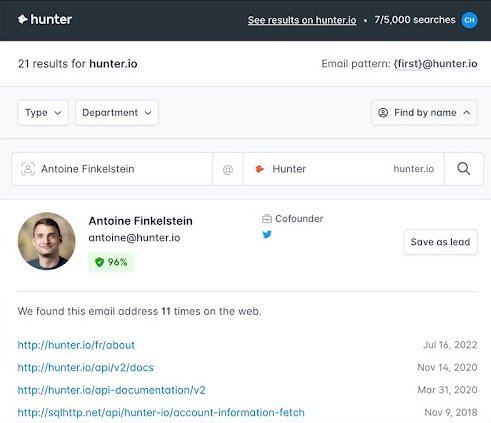
Hunter.io
Used for finding email addresses related to domains.
Example:
company.com
Hunter lists emails used within that domain.
Another powerful tool:
Have I Been Pwned
This database shows whether an email has appeared in a data breach.
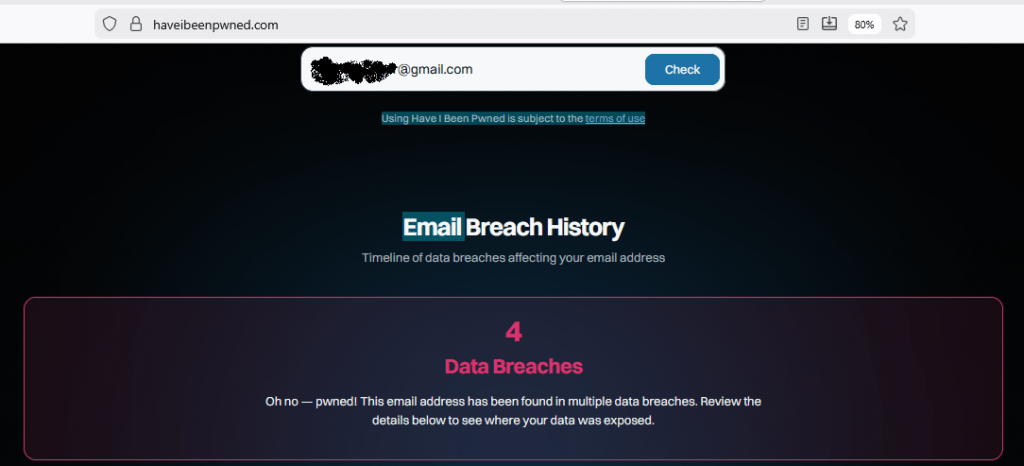
If an email is found in breaches, you may learn:
- Usernames
- Old passwords
- Websites used
- Additional emails
Another OSINT tool:
EmailRep
This provides risk scoring and reputation data for email addresses.
Step 4: Phone Number Investigation
Phone numbers can reveal social media accounts and personal information.
Tools
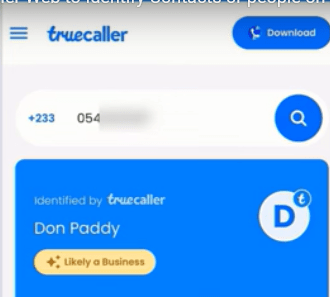
Truecaller
Enter a phone number to see:
- Owner name
- Location
- Spam reports
Another OSINT tool:
Sync.me
Provides reverse phone lookup results.
Also check messaging apps:
- Telegram
- Signal
Simply add the number to contacts and check whether an account exists.
This sometimes reveals profile pictures or names.
Step 5: Social Media Profiling
Once accounts are identified, investigators analyze:
- profile pictures
- friends
- posts
- comments
- tagged locations
This stage helps map relationships and behavior patterns.
Tools
Social Searcher
https://www.social-searcher.com
Search posts across multiple social media networks.
Another platform:
Twint (Twitter intelligence tool)
https://github.com/twintproject/twint
Example usage:
twint -u username123

It collects:
- tweets
- hashtags
- mentions
- locations
This can reveal interests, political views, or professional activity.
Step 6: Image Analysis
Images uploaded online often contain hidden metadata.
This metadata may include:
- GPS coordinates
- camera type
- date and time
Tools
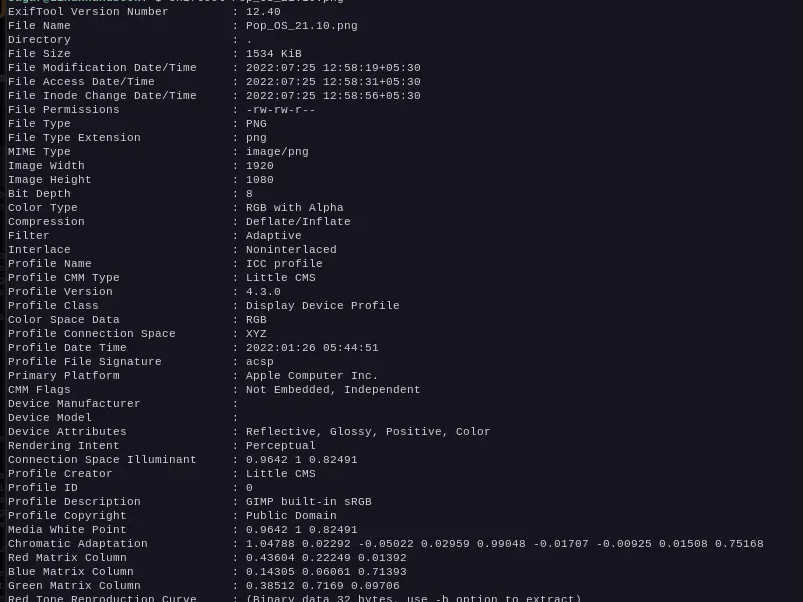
ExifTool
Example command:
exiftool image.jpgIt extracts metadata embedded inside photos.
Another useful tool:
Google Reverse Image Search
Upload a profile picture to find:
- where else the image appears
- duplicate accounts
- fake profiles
Another option:
TinEye
This helps identify the original source of images.
Step 7: Domain and Website Investigation
If the person owns a website or domain, domain records can reveal important data.
Tools
WHOIS Lookup
Enter a domain name to find:
- registrant name
- email address
- organization
- registration date
Example:
iicybersecurity.com
Another useful tool:
SecurityTrails
This provides historical domain data including:
- previous IP addresses
- DNS records
- hosting providers
This helps map infrastructure connected to the individual.
Step 8: IP Address Investigation
Sometimes investigators obtain an IP address from logs, emails, or servers.
Tools
IPinfo
Provides information such as:
- ISP
- city
- country
- organization
Example:
https://ipinfo.io/8.8.8.8
Another tool:
Shodan
Shodan searches internet-connected devices.
Investigators can see if an IP address hosts:
- servers
- cameras
- routers
- IoT devices
This can reveal infrastructure belonging to the person.
Step 9: Data Breach Intelligence
Data breaches often expose personal information that links identities.
Tools
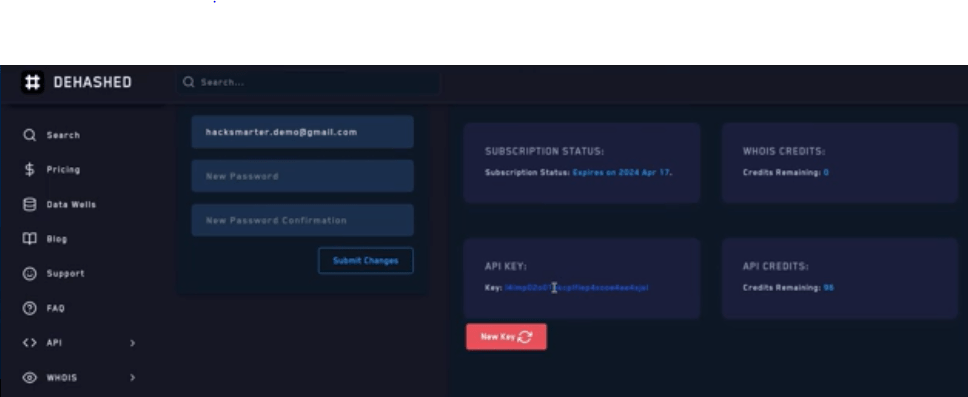
DeHashed
Search by:
- username
- phone
- domain
Results may include:
- passwords
- IP logs
- addresses
Another option:
LeakCheck
These platforms help investigators map historical digital identities.
Step 10: Relationship Mapping
The final step is building a network map OF USER.
Investigators analyze:
- friends
- followers
- shared domains
- shared emails
- shared IP addresses
Tools
Maltego
Maltego visualizes connections between entities.
Example entities:
- email → domain
- domain → IP
- IP → hosting provider
- username → social accounts
Maltego produces graphical intelligence maps used by analysts.
Step 11: Correlation and Verification
At this stage investigators verify the collected data.
They check whether multiple sources confirm the same information.
For example:
- same username across platforms
- same profile photo across accounts
- same email used for domain registration
Cross-verification prevents false identification.
Ethical and Legal Considerations
Tracing individuals must always follow legal and ethical guidelines.
Best practices include:
- using only publicly available information
- respecting privacy laws
- avoiding harassment or stalking
- complying with data protection regulations
Professional investigators document their methodology to ensure transparency.
Conclusion
Tracing people online is not a single technique but a structured intelligence workflow. Starting with one piece of information, investigators expand outward using OSINT tools to uncover identities, relationships, and infrastructure.
The most effective investigations combine:
- search engines
- username enumeration
- breach intelligence
- social media analysis
- metadata extraction
- domain investigation
When performed systematically, these methods allow analysts to reconstruct a person’s digital footprint with remarkable accuracy.






Cyber Security Researcher. Information security specialist, currently working as risk infrastructure specialist & investigator. He is a cyber-security researcher with over 25 years of experience. He has served with the Intelligence Agency as a Senior Intelligence Officer. He has also worked with Google and Citrix in development of cyber security solutions. He has aided the government and many federal agencies in thwarting many cyber crimes. He has been writing for us in his free time since last 5 years.


