
Introduction
Smartphones have become part of our life’s always on, always connected, and always within reach. But here’s the uncomfortable truth, the same device that captures your memories can also be turned into a silent surveillance tool, even sometimes when you take your mobile to bathrooms. The tools required to access a mobile camera are publicly available, easy to deploy, and often require nothing more than basic technical knowledge and a bit of social engineering.

What makes this threat particularly dangerous is not just the technology itself, but how accessible it has become. Open source platforms like GitHub host many projects that demonstrate how mobile cameras can be accessed remotely. While many of these tools are developed for research or ethical testing, they also tell how easily they can be misused in the wrong hands. Understanding how these tools work is the first step toward protecting yourself. Below are some tools that will help you understand that how dangerous is to take your mobile phone to washroom or bathroom or toilet.
AndroRAT – Full Mobile Device Control
One of the most widely known tools in this space is AndroRAT, a Remote Access Trojan designed for Android devices. At its core, AndroRAT operates by embedding malicious code into an application, which is then installed on the victim’s device. Once installed, it establishes a communication channel between the attacker and the device.
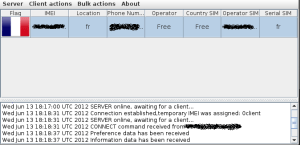
It can:
- Take photos from front/back camera
- Record audio
- Track GPS
- Read messages
It runs as a background service and can be triggered remotely without user interaction. Once malicious app is installed, attacker gets full control including camera.
Download Link:
https://github.com/The404Hacking/AndroRAT
Camera Phishing – No Installation Required
Not all attacks require installing an app. Camera phishing represents a more lightweight and often more effective technique. In this approach, the attacker sends a link typically via messaging platforms like WhatsApp, email, or social media. When the victim opens the link, it loads a webpage that requests access to the device’s camera.
Modern browsers enforce permission prompts for sensitive resources like cameras and microphones. However, these prompts rely heavily on user judgment. Attackers exploit this by crafting convincing scenarios: identity verification, CAPTCHA like challenges, or fake video call interfaces. When the user clicks “Allow,” the browser grants access to the camera, and the attacker can capture images or video streams.
Download Link:
https://github.com/topics/camera-hacking?l=html&o=desc&s=stars
Technically, this method uses standard web APIs such as getUserMedia(), which are designed for legitimate use cases like video conferencing. The vulnerability lies not in the API, but in how easily users can be manipulated into granting access. No malware is installed, no system vulnerabilities are exploited – just a single click is enough
Termux Based Camera Tools
Another category of tools operates within environments like Termux or Kali Linux on mobile devices. These tools are often lightweight scripts that automate the process of accessing and capturing images from the device’s camera.
From a technical point of view, these scripts interface with Android’s camera APIs or command line utilities. They can trigger the camera, capture images, and transmit them to a remote server. What makes these tools significant is their simplicity. They do not require complex infrastructure or deep programming knowledge. In many cases, they are executed with a few commands and minimal configuration.
This dramatically lowers the barrier to entry. Individuals with limited technical expertise can deploy these tools by following step by step instructions readily available online.
Download Link:
https://github.com/LiNuX-Mallu/CAM-DUMPER
Installation instructions:
$ apt update && apt upgrade
$ apt install git php wget curl jq
$ git clone https://github.com/LiNuX-Mallu/CAM-DUMPER.git
$ cd CAM-DUMPER
$ chmod +x camdumper.sh
$ ./camdumper.sh
Spyware Bundles
More advanced tools combine multiple capabilities into a single spyware package. These are not limited to camera access they include keylogging, screen recording, file extraction, and network monitoring. The camera becomes just one component of a broader surveillance framework.
Technically, these tools operate as persistent background services. They often use techniques to maintain persistence, such as registering themselves to start on boot or disguising their presence within legitimate looking processes. Data collected from the device is typically exfiltrated to a command and control (C2C) server.
The integration of multiple data streams significantly increases the value of the attack. For example, camera footage can be correlated with keystrokes, location data, and screen activity to build a comprehensive profile of the victim. This is not just spying it is full-spectrum digital surveillance.
One such example is:
https://github.com/quitehacker/Advanced-Keylogger-with-Webcam-and-Microphone-Spy
Legitimate Camera Streaming Apps – A Double-Edged Sword
It’s important to recognize that not all tools capable of accessing your camera are malicious. Applications designed for remote monitoring such as turning your phone into a security camera use the same underlying capabilities. These apps can stream video and audio to another device over the internet.
The distinction lies in intent and control. In legitimate use cases, the user installs the app knowingly and configures access. However, the existence of these apps demonstrates a critical point: remote camera access is a built in capability, not an anomaly. If a legitimate app can do it with your permission, a malicious one can do the same if it gains that permission through deception.
Download Link:
https://github.com/fyhertz/spydroid-ipcamera
The Common Problem – Mind Play
Across all these tools and techniques, a consistent pattern emerges. The primary enabler is not a sophisticated exploit or zero-day vulnerability. It is the combination of:
- User granting permissions
- Social engineering
- Lack of awareness
Whether it’s installing a malicious app, clicking on a bad link, or blindly approving a permission request, the user becomes the entry point. The technology simply follows the path that has been opened.
Conclusion – Awareness Is Your First Line of Defense
The reality of mobile camera surveillance is both simple and unsettling. These tools exist. They are accessible. And in many cases, they rely more on human mind play.
Protecting yourself does not require advanced cybersecurity skills. It requires discipline:
- Question every permission request
- Avoid installing apps from untrusted sources
- Be skeptical of links, even from known contacts
- Regularly review app permissions on your device
In an environment where surveillance capabilities are increasingly commoditized, awareness becomes your most effective defense. The goal is not to fear technology, but to understand it because once you understand how these tools work, you significantly reduce the chances of becoming their target.








Cyber Security Researcher. Information security specialist, currently working as risk infrastructure specialist & investigator. He is a cyber-security researcher with over 25 years of experience. He has served with the Intelligence Agency as a Senior Intelligence Officer. He has also worked with Google and Citrix in development of cyber security solutions. He has aided the government and many federal agencies in thwarting many cyber crimes. He has been writing for us in his free time since last 5 years.


