
Introduction
When the whole world is going through the crisis of COVID and every organization is asking their employee’s to work from home. The one company that comes in mind, when we talk about work from home is ZOOM. ZOOM shares outpaces stock market with the demand of online video conferencing and it also became the favorite target of hacker.
{ "@context": "http://schema.org", "@type": "HowTo", "totalTime": "PT15M", "name": "CROSSLINKED", "description": "Extract Employee names of ZOOM Company on LinkedIn", "tool": [ { "@type": "HowToTool", "name": " Search engines like Google, Bing and it collects valid emails from a particular domain" }, { "@type": "HowToTool", "name": "In this tool we can collect the password combination list, this data will be useful for brute force attacks" }, { "@type": "HowToTool", "name": "CrossLinked tool built-in python language" } ], "supply": { "@type": "HowToSupply", "name": "Use this command to clone the file" }, "step": [ { "@type": "HowToSection", "name": "Use the cd command to enter into CrossLinked directory.", "position": "1", "itemListElement": [ { "@type": "HowToStep", "image": "https://www.securitynewspaper.com/snews-up/2020/05/email-serach-min.jpg", "name": "Use this command to install the requirements for the Tool.", "position": "1", "url": "https://github.com/m8r0wn/CrossLinked", "itemListElement": [ { "@type": "HowToDirection", "position": "1", "text": "Now, Type this command python3 crosslinked.py -h to find help option" }, { "@type": "HowToTip", "position": "2", "text": "Now, let’s search for a valid email in a particular domain" } ] }, { "@type": "HowToStep", "image": "https://www.securitynewspaper.com/snews-up/2020/05/emails-min.jpg", "name": "Here, we have selected a particular domain zoom.us (Zoom Video Communications)", "position": "2", "url": "https://github.com/m8r0wn/CrossLinked", "itemListElement": [ { "@type": "HowToDirection", "position": "1", "text": "In the above picture, we see all unique names are saved in name.txt, we can change the output file name by using -o " } ] }, { "@type": "HowToStep", "image": "https://www.securitynewspaper.com/snews-up/2020/05/zoom-namesnewpaint-min.jpg", "name": "Now, use this command to collect the emails and Names (user names) with the designation", "position": "3", "url": "https://github.com/m8r0wn/CrossLinked", "itemListElement": [ { "@type": "HowToDirection", "position": "1", "text": "In the above picture, we found all 108 unique names with the designation" } ] } ] }, { "@type": "HowToSection", "name": "Now, let’s confirm whether the user belongs to zoom video communications or not", "position": "2", "itemListElement": [ { "@type": "HowToStep", "image": "https://www.securitynewspaper.com/snews-up/2020/05/zoom-profile-min.jpg", "name": "In the first picture, we have highlighted two profile names, here we can see the results for those two profiles.", "position": "1", "url": "https://github.com/m8r0wn/CrossLinked", "itemListElement": [ { "@type": "HowToDirection", "position": "1", "text": "Ryan Azus profile chief Revenue Officer at Zoom Video Communication." } ] }, { "@type": "HowToStep", "image": "https://www.securitynewspaper.com/snews-up/2020/05/password-min.jpg", "name": "Lynne Oldham profile Chief People Officer at Zoom Video Communications", "position": "2", "url": "https://github.com/m8r0wn/CrossLinked", "itemListElement": [ { "@type": "HowToDirection", "position": "1", "text": "We can also view the Email IDs, which we have crawl from the internet. Type this command cat zoom.txt to view the output file. " } ] } ] }, { "@type": "HowToSection", "name": "In this tool we can also generate a unique password list, this password list can be useful for brute force attacks.", "position": "3", "itemListElement": [ { "@type": "HowToStep", "image": "https://www.securitynewspaper.com/snews-up/2020/04/missed-calls-min.jpeg", "name": "To generate a password list type this command python3 pwd_gen.py", "position": "1", "url": "https://github.com/m8r0wn/CrossLinked", "itemListElement": [ { "@type": "HowToDirection", "position": "1", "text": "In the above picture, we see the Unique password list as been created" } ] } ] } ] }
Today we will talk about on how we can extract employee details of ZOOM on LinkedIn using a tool called CrossLinked. It’s a good tool to crawl all the employee names from LinkedIn by using different search engines like Google, Bing and it also collects valid emails of a domain, which in our case is zoom.us. This tool also comes with password generator, which can further be used by ethical hacking researchers in brute force attacks.
Environment
- OS: Kali Linux 2019 64 bit
- Kernel-Version: 5.2.0
Installation Steps
- Use this command to clone the project.
- git clone https://github.com/m8r0wn/CrossLinked
root@kali:/home/iicybersecurity# git clone https://github.com/m8r0wn/CrossLinked
Cloning into 'CrossLinked'...
remote: Enumerating objects: 78, done.
remote: Total 78 (delta 0), reused 0 (delta 0), pack-reused 78
Receiving objects: 100% (78/78), 33.90 KiB | 187.00 KiB/s, done.
Resolving deltas: 100% (34/34), done.
- Use the cd command to enter into CrossLinked directory.
root@kali:/home/iicybersecurity# cd CrossLinked/
root@kali:/home/iicybersecurity/CrossLinked#
- Use this command to install the requirements for the tool.
- pip3 install -r requirements.txt
root@kali:/home/iicybersecurity/CrossLinked# pip3 install -r requirements.txt
Requirement already satisfied: bs4 in /usr/local/lib/python3.8/dist-packages (from -r requirements.txt (line 1)) (0.0.1)
Collecting unidecode (from -r requirements.txt (line 2))
  Downloading https://files.pythonhosted.org/packages/d0/42/d9edfed04228bacea2d824904cae367ee9efd05e6cce7ceaaedd0b0ad964/Unidecode-1.1.1-py2.py3-none-any.whl (238kB)
    100% |████████████████████████████████| 245kB 1.8MB/s
Requirement already satisfied: requests in /usr/local/lib/python3.8/dist-packages (from -r requirements.txt (line 3)) (2.23.0)
Collecting argparse (from -r requirements.txt (line 4))
  Using cached https://files.pythonhosted.org/packages/f2/94/3af39d34be01a24a6e65433d19e107099374224905f1e0cc6bbe1fd22a2f/argparse-1.4.0-py2.py3-none-any.whl
Requirement already satisfied: beautifulsoup4 in /usr/local/lib/python3.8/dist-packages (from bs4->-r requirements.txt (line 1)) (4.8.2)
Requirement already satisfied: chardet<4,>=3.0.2 in /usr/lib/python3/dist-packages (from requests->-r requirements.txt (line 3)) (3.0.4)
Requirement already satisfied: certifi>=2017.4.17 in /usr/local/lib/python3.8/dist-packages (from requests->-r requirements.txt (line 3)) (2019.11.28)
Requirement already satisfied: urllib3!=1.25.0,!=1.25.1,<1.26,>=1.21.1 in /usr/local/lib/python3.8/dist-packages (from requests->-r requirements.txt (line 3)) (1.25.8)
Requirement already satisfied: idna<3,>=2.5 in /usr/local/lib/python3.8/dist-packages (from requests->-r requirements.txt (line 3)) (2.9)
Requirement already satisfied: soupsieve>=1.2 in /usr/local/lib/python3.8/dist-packages (from beautifulsoup4->bs4->-r requirements.txt (line 1)) (2.0)
Installing collected packages: unidecode, argparse
Successfully installed argparse-1.4.0 unidecode-1.1.
- Now, type this command python3 crosslinked.py -h to get help.
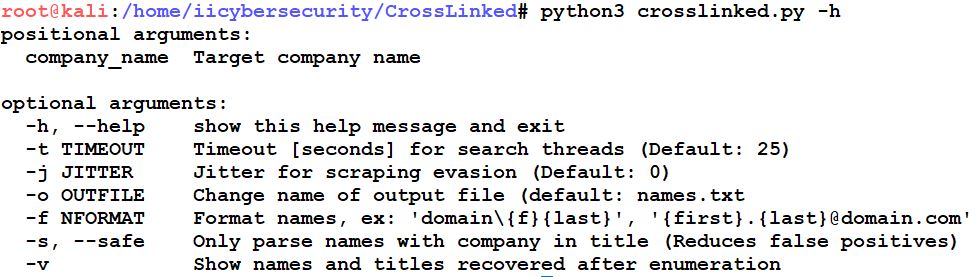
- Now, let’s extract the email addresses of ZOOM employees using domain zoom.us.
- Here, we have selected a particular domain zoom.us (Zoom Video Communications).
- Type this command to get email ids
- python3 crosslinked.py -f ‘{first}.{last}@zoom.us’ zoom
- -f: format names

- In the below picture, we can see Employees of ZOOM are saved in name.txt, we can also change the output file name by using -o <filename.txt>
- To view the list Employees of ZOOM, type cat name.txt
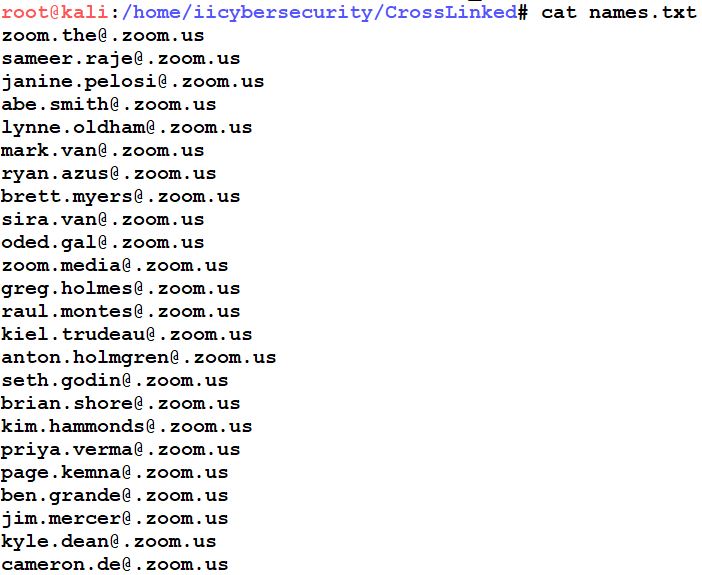
- Now, use this command to collect the emails and Names (user names) with the designation.
- python3 crosslinked.py -f ‘{first}.{last}@zoom.us’ zoom -o zoom.txt -t 20 -v
- -f: Name format
- -o: output file name
- -v: Show names and titles recovered after enumeration.
- -t: Threads in seconds.
- python3 crosslinked.py -f ‘{first}.{last}@zoom.us’ zoom -o zoom.txt -t 20 -v
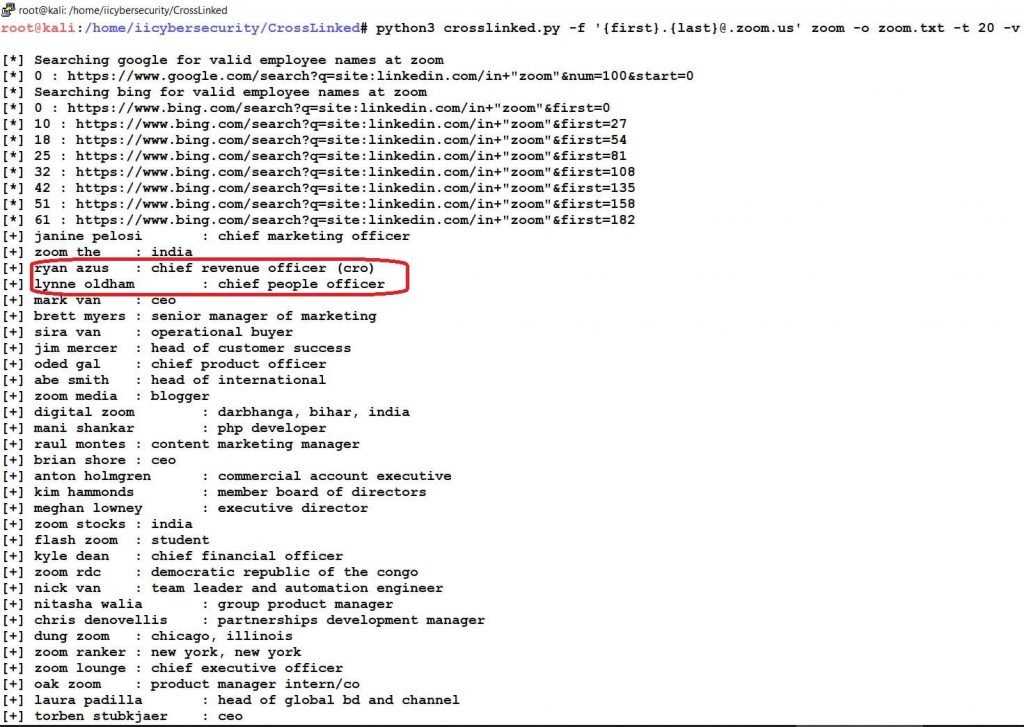
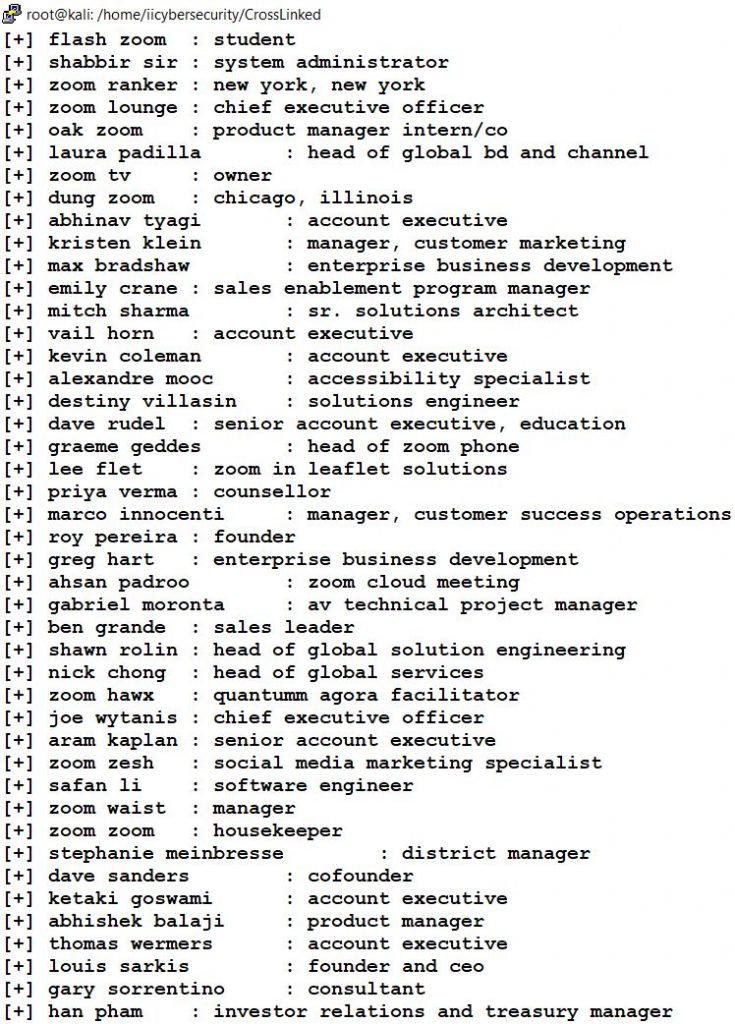
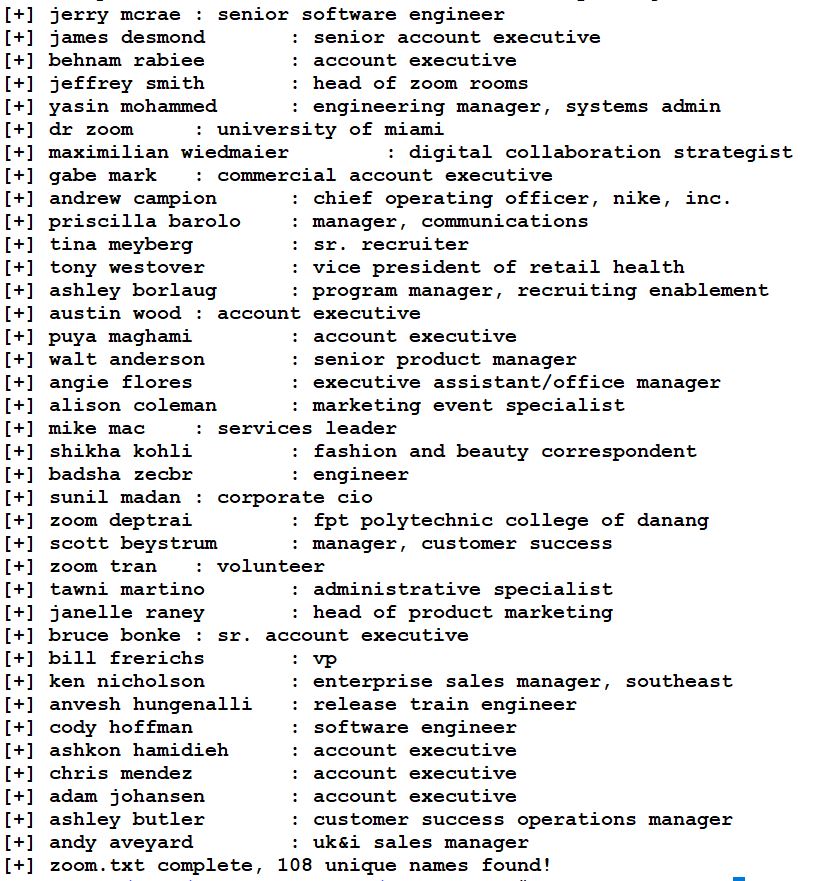
- In the above picture, we found all 108 Employees of ZOOM with the designation.
- Now, let’s confirm whether the user belongs to ZOOM Video Communications or not.
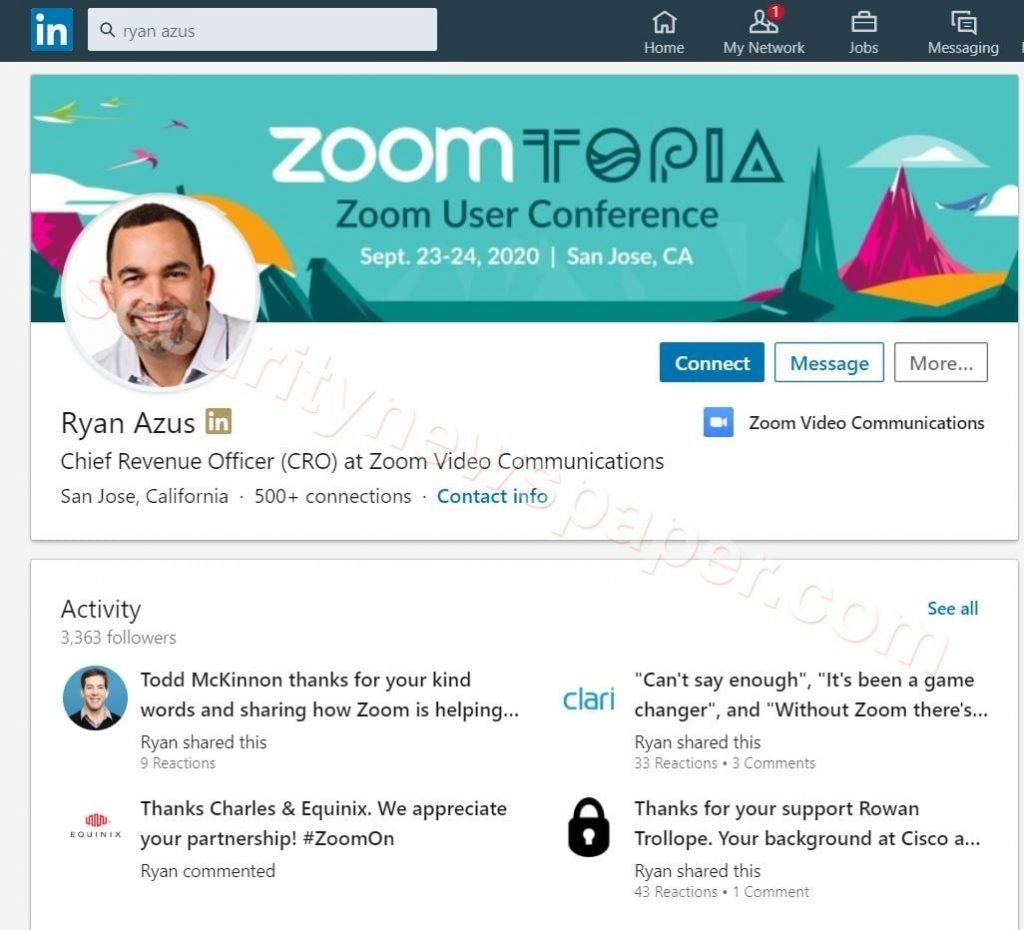
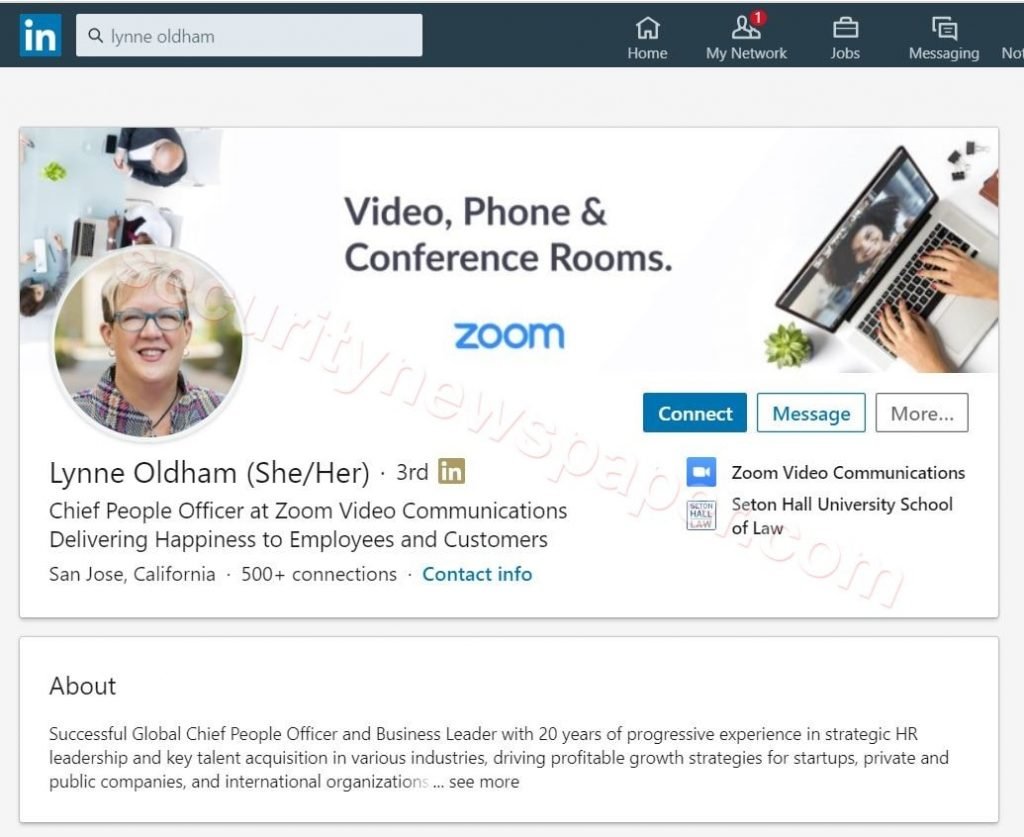
- In the first picture, we have highlighted two profile names, here we can see the results for those two profiles.
- One is Ryan Azus profile chief Revenue Officer at Zoom Video Communication.
- Other is Lynne Oldham profile Chief People Officer at Zoom Video Communications.
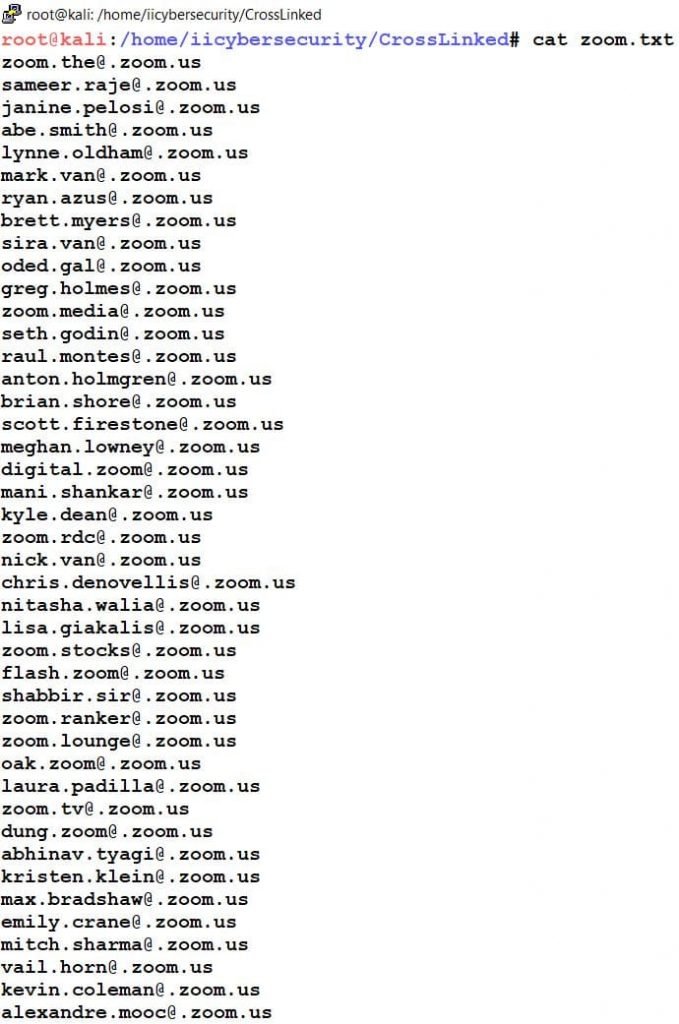
- We can also view the Email IDs, which we have crawled from the internet.
- Type cat zoom.txt to view the ZOOM Employees Email Addresses.
Password Generator
- In this tool we can also generate a unique password list, this password list can be useful for brute force attacks.
- To generate a password list type this command python3 pwd_gen.py.
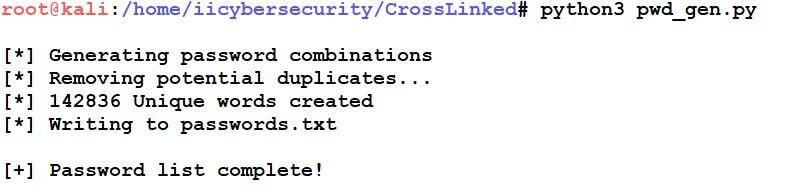
- In the above picture, we see the Unique password list has been generated.
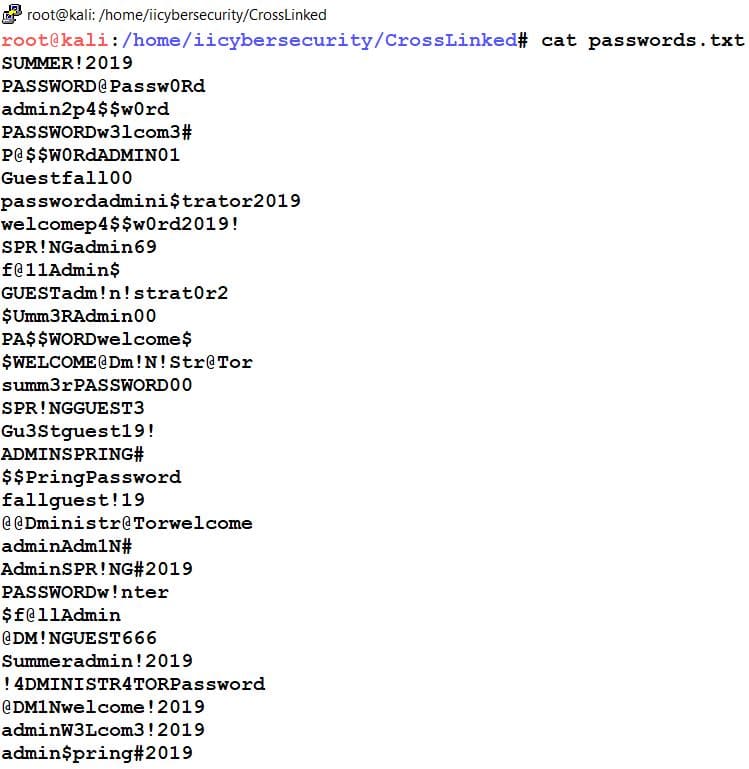
- Use the cat command to view the password list.
- cat password.txt
Conclusion
So we saw how to find the Employees of a particular organization on Internet and using the same we can also crawl the valid Email Id’s of a particular domain from LinkedIn using different search engines. The collected data can further we used for further analysis.







Cyber Security Specialist with 18+ years of industry experience . Worked on the projects with AT&T, Citrix, Google, Conexant, IPolicy Networks (Tech Mahindra) and HFCL. Constantly keeping world update on the happening in Cyber Security Area.