What if you could hire a whole team of security experts for free? What if they worked all night and never asked for coffee? That is the promise of CyberStrike, an open-source AI tool that has already collected over 1,500 stars on GitHub. Security people are talking about it, and you should know why.
So, What Is CyberStrike?
CyberStrike is an AI-powered tool for penetration testing. This is when a security expert attacks a system on purpose, with permission, to find weak spots before real criminals do. Normally this work is slow and boring. You copy commands between ten different windows. You read long reports. You repeat the same checks again and again.
CyberStrike does much of that work for you. You tell it what to test, and its AI agents handle scanning, finding problems, and writing the report.
The Numbers Will Shock You
Look at what is packed inside:
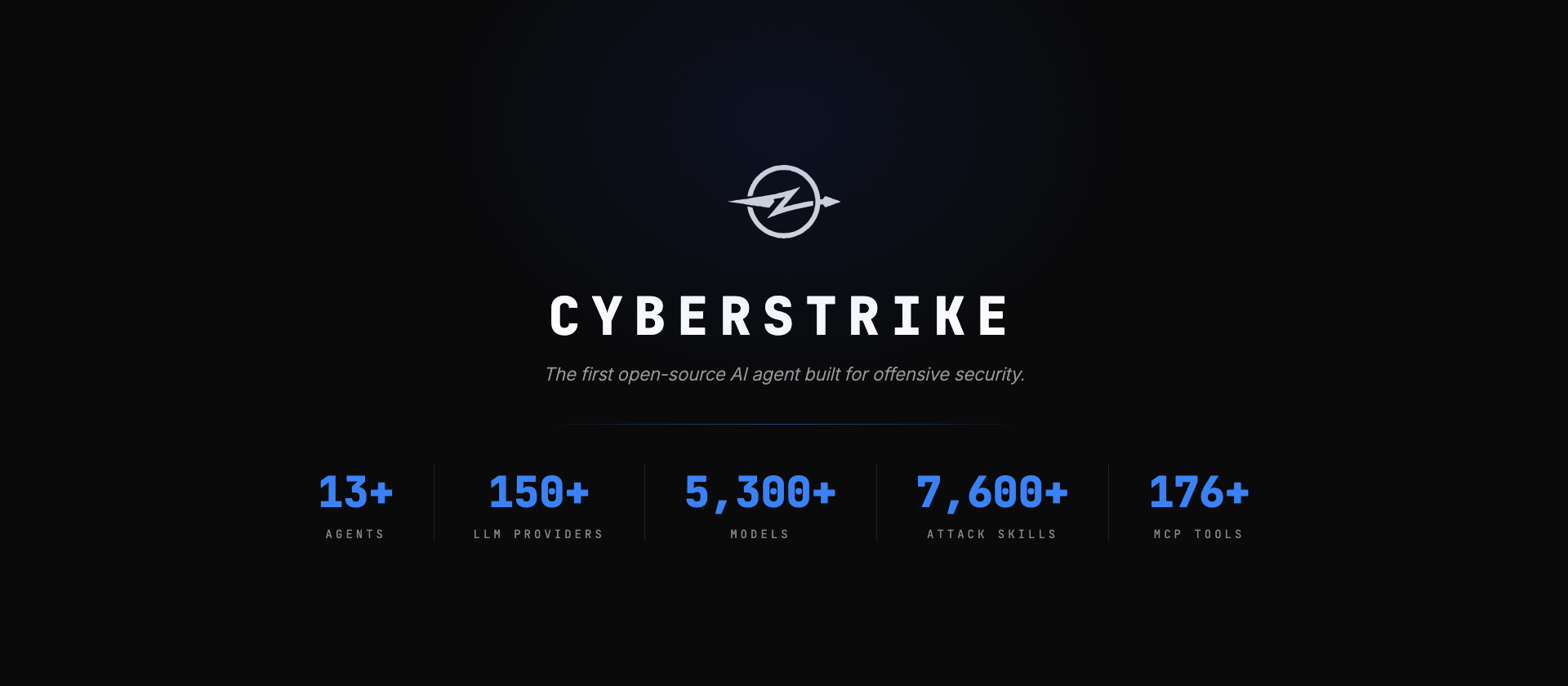
- 13+ AI agents, each one a specialist
- 150+ AI providers and over 5,300 models
- 7,600+ security skill files that teach the AI how to test
- 56+ built-in tools
- 176+ extra tools through MCP servers
And the price? Free. It uses the AGPL-3.0 license, so personal and open-source use costs nothing.
Meet the Agents
You switch between agents by pressing the Tab key. Each one has a job:
- web-application: tests websites and APIs using OWASP methods
- mobile-application: checks Android and iOS apps
- cloud-security: looks for mistakes in AWS, Azure, and GCP
- internal-network: tests company networks, including Active Directory
There are also 8 proxy testers that check things like IDOR, injection, SSRF, and broken logins. They only report a problem when they can prove it with a real, repeatable difference in the response. That means fewer false alarms.
Use the AI You Already Pay For
Here is the part many people love. You do not need a special AI. CyberStrike works with Claude, GPT, Gemini, DeepSeek, GitHub Copilot, and many more. Already have a subscription? Plug it in.
Worried about privacy? You can run it fully offline with Ollama or LM Studio. No data leaves your machine.
How to Install CyberStrike
Installation takes about one minute. Choose the method that fits your system.
Using npm (recommended):
npm i -g @cyberstrike-io/cyberstrike@latestUsing Homebrew on macOS:
brew install CyberStrikeus/tap/cyberstrikeUsing Scoop on Windows:
scoop install cyberstrikeUsing curl on Linux or macOS:
curl -fsSL https://cyberstrike.io/install.sh | bashYou can also use bun, pnpm, or yarn if you prefer them.
How to Use It: Step by Step
Step 1: Start the tool. Type this in your terminal:
cyberstrikeStep 2: Connect your AI. On first run, it asks for your AI provider and API key. Pick one and paste your key.
Step 3: Tell it what to test. Write a normal sentence, such as “Test my website at example.com for common web problems.” Always use a target you own or have written permission to test.
Step 4: Pick an agent. Press Tab to move between agents. Choose the web agent for websites or the cloud agent for cloud accounts.
Step 5: Read the report. CyberStrike can write a professional report that matches standards like OWASP and MITRE ATT&CK.
Cool Extra Features
HackBrowser. Type /hackbrowser and a built-in browser opens. As you click around a site, every request is captured and sent to the testers. No more exporting files by hand.
Web UI. Prefer a browser to a terminal? Run this:
cyberstrike webYou get tabs for chat, findings, and discovered endpoints. It can even work remotely through a Cloudflare Tunnel, so you do not need to open any ports.
Bolt. Want heavy scans to run somewhere else? Bolt lets you control tools on remote servers from your own terminal. Pairing uses Ed25519 keys instead of passwords.
Who Should Use It?
- Pentesters who want to skip the boring parts
- Bug bounty hunters who want faster recon
- Security teams who need repeatable checks
- Students and researchers who want to learn how attacks work
The Important Warning
This is where we get serious. CyberStrike includes powerful features, and the project says it is for authorized security testing only. Testing a system you do not own, without permission, is illegal in most countries and can lead to real trouble.
Use it on your own projects, in practice labs, or on bug bounty programs where the rules allow it. The AI also makes mistakes, so check every finding yourself before you trust it.
Final Thoughts
CyberStrike will not replace a skilled security expert. But it can make one far faster. It handles the repeated work, follows proven methods, and leaves the creative thinking to you. For a free tool, that is a lot of power. If you work in security or want to learn it, install it today and see what it finds, but only on systems you are allowed to test.
Links: GitHub









Cyber Security Researcher. Information security specialist, currently working as risk infrastructure specialist & investigator. He is a cyber-security researcher with over 25 years of experience. He has served with the Intelligence Agency as a Senior Intelligence Officer. He has also worked with Google and Citrix in development of cyber security solutions. He has aided the government and many federal agencies in thwarting many cyber crimes. He has been writing for us in his free time since last 5 years.