Ever downloaded a file with no extension and no clue what it actually is? Malware analysts, reverse engineers, and forensic investigators run into this constantly – and there’s one free, open-source tool that’s become their not-so-secret weapon: Detect It Easy, known simply as DIE.
What Exactly Is Detect It Easy?
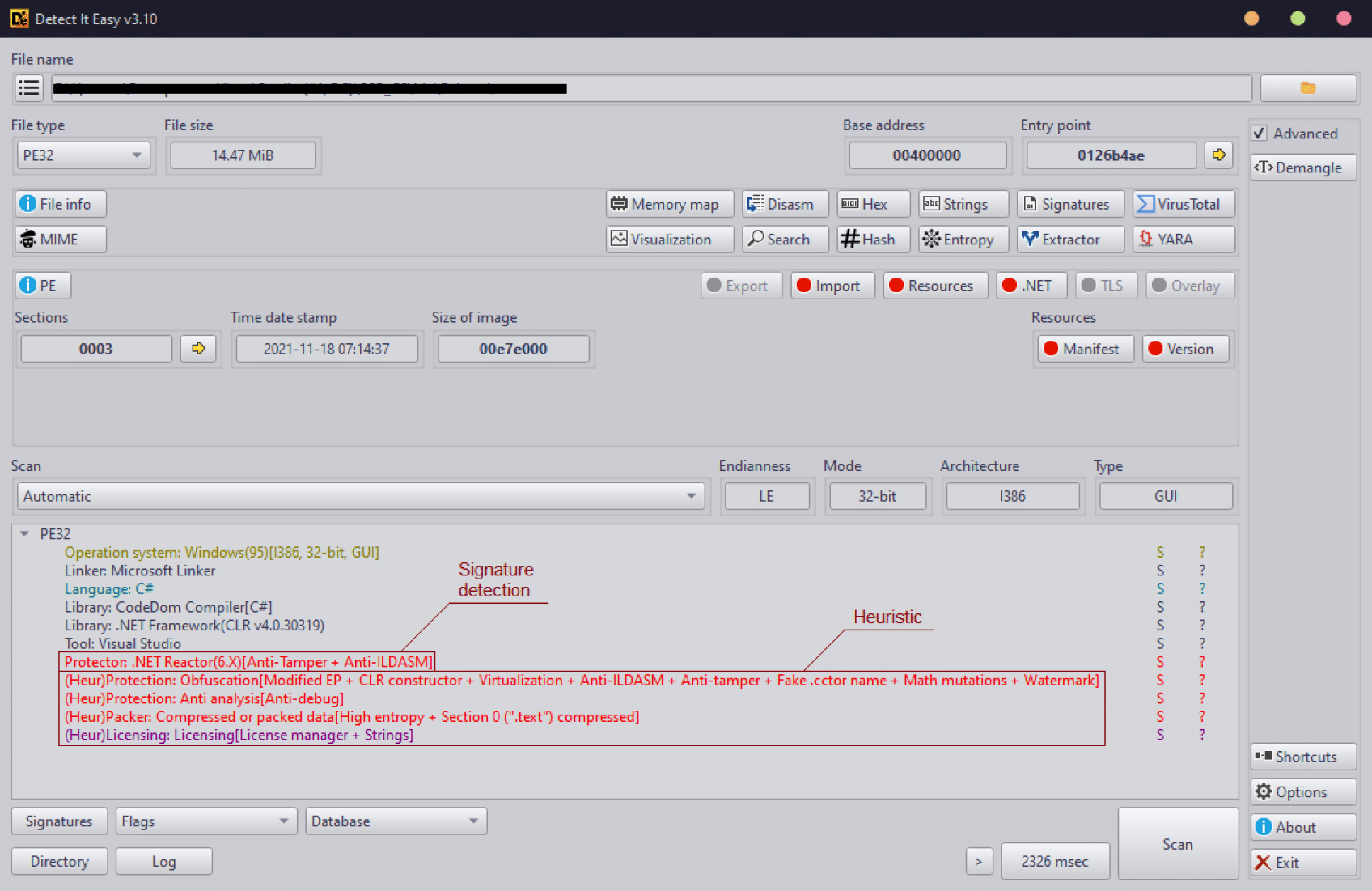
Detect It Easy (DiE) is a powerful tool for file type identification, popular among malware analysts, cybersecurity experts, and reverse engineers worldwide, supporting both signature-based and heuristic analysis for efficient file inspections across Windows, Linux, and macOS. In plain English: you drop a mystery file on it, and DIE tells you what compiler built it, whether it’s packed or encrypted, what format it is, and a dozen other details that would otherwise take real digging to figure out.
Why does this matter? Older tools like PEID and PE Tools rely on third-party signatures that only scan bytes against a pre-set mask, which causes frequent false positives, and adding a new detection method typically means recompiling the entire program. DIE flips that model on its head.
The Feature That Makes It Genuinely Different
Detect It Easy has a completely open architecture of signatures, letting anyone add or modify detection algorithms using a scripting language that closely resembles JavaScript. That means the detection database keeps growing thanks to the community, instead of going stale the moment the original developer moves on.
Its flexible signature system and scripting capabilities make DiE an essential tool for malware analysis and digital forensics, and its customizable design allows precise integration of new detection logic for reliable results across diverse file types.
What File Types Can It Actually Detect?
This isn’t a one-trick pony for Windows .exe files. DIE recognizes an enormous range of formats, including:
- PE (Windows executables)
- ELF (Linux executables)
- Mach-O (macOS binaries)
- APK and DEX (Android apps)
- IPA (iOS apps)
- JAR (Java archives)
- ZIP and other compressed archives
- MS-DOS, COM, LE/LX (legacy formats)
So whether you’re staring at a suspicious Android app, an ancient DOS program, or a fresh Linux binary, DIE has a signature folder ready for it.
Three Flavors, One Engine
DIE exists in three versions built on identical signatures: the full GUI (“die”), a lightweight version (“diel”), and a console/command-line version (“diec”). That flexibility is huge – you can run the full graphical interface for manual investigation, or drop the console version into an automated malware-scanning pipeline.
How to Install Detect It Easy
Getting DIE running is refreshingly simple:
Windows / Linux / macOS (pre-built binaries)
- Head to the official releases page on the https://github.com/horsicq/DIE-engine/releases
- Download the archive matching your OS (Windows zip, Linux AppImage/tarball, or macOS build).
- Extract the archive anywhere — no complicated installer required.
- Launch
die(GUI),diel(lite), ordiec(console) depending on which mode you want.
Linux via Flatpak
If you’re on Linux, DIE is also distributed as a community Flatpak (io.github.horsicq.detect-it-easy) through Flathub, making installation a single command once Flathub is enabled on your system.
Building from source
For the latest bleeding-edge features, the repo’s docs/BUILD.md walks through compiling from source — useful if you want a version newer than the latest tagged release.
How to Actually Use It
Once installed, the workflow is refreshingly straightforward:
- Open the GUI and drag your mystery file into the window (or use File → Open).
- DIE immediately scans it and displays the detected file type, compiler/linker used, and packer status (i.e., is it compressed or obfuscated?) right at the top.
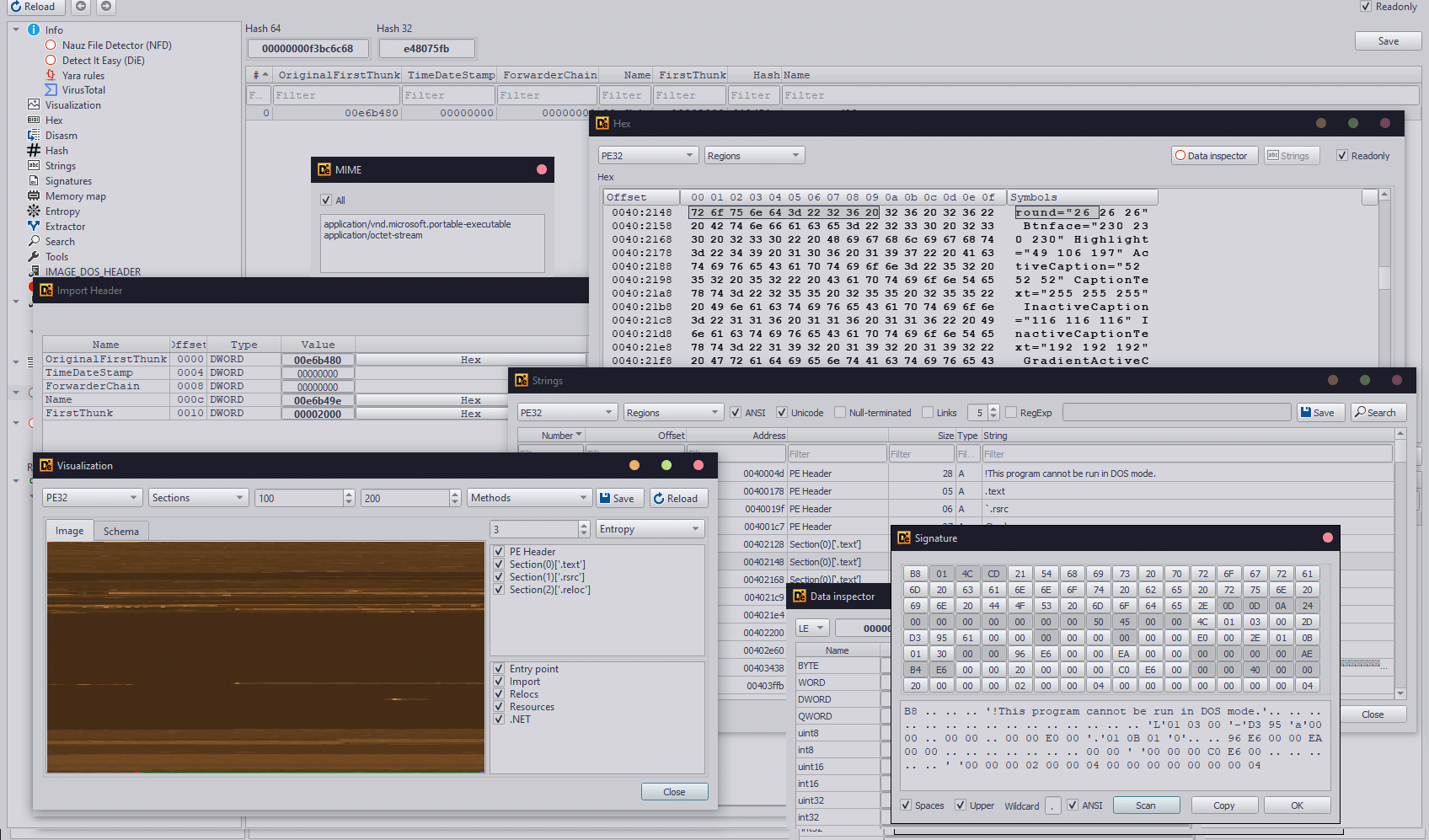
- Click through the tabs for deeper details — hex view, entropy, string extraction, and PE/ELF header breakdowns depending on the file type.
- If you’re scripting or automating, use the console version: something like
diec /path/to/filefrom a terminal returns the same detection results as plain text, perfect for feeding into a larger analysis pipeline or CI system. - Want more accuracy on a niche or custom format? Write your own signature script — the JavaScript-like syntax means you don’t need to be a C++ developer to extend DIE’s detection database yourself.
Who Should Actually Use This?
- Malware analysts triaging unknown samples before deeper analysis
- Reverse engineers figuring out what compiler/packer they’re dealing with
- Forensic investigators identifying file types with missing or fake extensions
- Developers curious about what’s really inside a mystery binary they downloaded
The Bottom Line
In a world where malware authors constantly disguise, pack, and obfuscate files to dodge detection, having a tool with an open, endlessly extensible signature system is a genuine advantage over rigid, closed-source alternatives. Detect It Easy is free, actively maintained, cross-platform, and backed by a community that keeps its detection database fresh – which is exactly why it’s earned a permanent spot in so many security toolkits.
If you deal with unknown files even occasionally, it’s worth the five minutes it takes to install.





Cyber Security Researcher. Information security specialist, currently working as risk infrastructure specialist & investigator. He is a cyber-security researcher with over 25 years of experience. He has served with the Intelligence Agency as a Senior Intelligence Officer. He has also worked with Google and Citrix in development of cyber security solutions. He has aided the government and many federal agencies in thwarting many cyber crimes. He has been writing for us in his free time since last 5 years.